Meta Advantage+ creative modifications are running on your campaigns right now, and there’s a decent chance you never turned them on. Advertisers started noticing something strange in early 2025: their ad copy was different from what they’d uploaded, images had been cropped or color-shifted, and budgets had moved between ad sets overnight. Meta’s AI was doing it — automatically, silently, and by default.
This isn’t a small edge case. If you manage Meta ad campaigns and haven’t manually disabled these features, they’re almost certainly active.
What Meta Advantage+ Creative Modifications Actually Do
The core product is called Advantage+ Creative, and it’s a suite of AI-driven tools that modifies your ad assets after you submit them. Not before you approve — after. It can:
- Adjust image brightness, contrast, and color grading
- Crop and reframe images to fit different placements
- Add music overlays to video ads
- Rewrite or remix primary text and headlines
- Expand images beyond their original aspect ratio
Meta frames all of this as “performance optimization.” The AI tests variations and serves whatever version it predicts will get better results. The problem is that “better results” by Meta’s definition usually means cheaper clicks — not conversions, not brand safety, not the message your creative director spent three weeks building.
Some advertisers have reported image-based ads where AI added a background blur that wasn’t there in the original. Others found their product photos had been brightened to the point of looking completely different from the shot. Fashion brands in particular have flagged that Meta’s AI was editing real human features in their photos — something that creates genuine brand integrity issues and, depending on jurisdiction, potential legal exposure.
Why Meta Is Doing This (And Where It’s Heading)
Mark Zuckerberg stated the end-goal publicly on a 2025 earnings call: he wants a system where a business hands Meta a credit card and a goal, and the AI handles everything else. No creative team, no media planner, no strategy. Just inputs and outputs. Meta has said this vision could be operational by end of 2026.
So what you’re seeing right now — these quiet auto-modifications — isn’t a glitch. It’s the roadmap.
That context matters when you decide how aggressively to push back. Every opt-out you make today is something Meta has a financial incentive to slowly re-enable or bury deeper in settings menus over time.
And here’s the honest opinion: the “AI does everything” pitch sounds efficient until you’re running a DTC brand with a carefully developed tone, a specific customer profile, and creative that’s been tested over two years. Handing that over to an algorithm optimizing for Meta’s ad auction metrics — not your actual business goals — is a real risk that gets glossed over in every press release.
How to Opt Out of Meta Advantage+ Creative
Here’s where it gets frustrating. Opting out isn’t one toggle. Settings are scattered across three different levels in Ads Manager: campaign level, ad set level, and ad level. Miss one, and the modifications still run.
At the ad level (where most of the creative modifications live):
- Open Ads Manager and go to the specific ad.
- Click Edit.
- Scroll to the “Creative” section.
- Find “Optimize Creative for Each Person” or “Creative Enhancements” — the label varies by campaign objective.
- Click the expansion arrow.
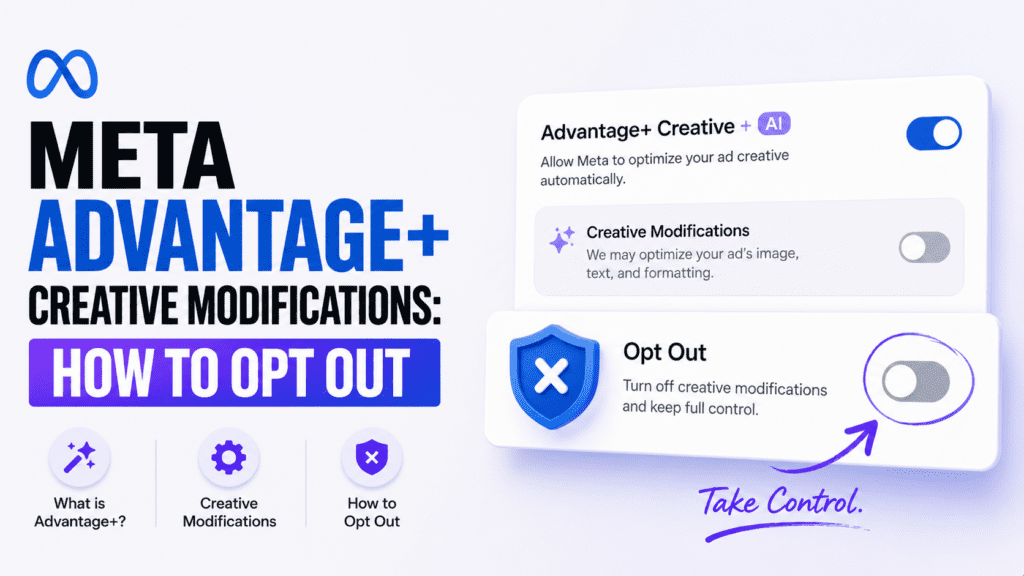
- Toggle off every individual enhancement: image brightness/contrast, text improvements, music, image expansion, visual touchups.
Yes, each is a separate switch. You’re turning off roughly six different toggles to fully disable Advantage+ creative enhancements at the ad level alone.
At the campaign level, if you’re running an Advantage+ Shopping Campaign (ASC), Meta gives less granular control. Some modifications are baked into ASC by design. If brand integrity matters to you, that’s worth factoring into whether ASC is the right campaign structure for your account at all.
At the ad set level, check Advantage+ Placements — which also carries its own creative format adaptations that can change how your assets render across surfaces.
One more thing: these settings reset when you duplicate ads. Duplicate a clean, well-configured ad without reviewing the copy, and Advantage+ creative may be re-enabled on the duplicate. Build the toggle-off check into your standard launch checklist.
Meta AI Editing Ads Without Permission — The Transparency Problem
The deeper issue with Meta AI editing ads without permission isn’t just the modifications themselves — it’s the disclosure gap. There’s no notification when a modification happens. No email, no Ads Manager alert, no change log showing “AI modified this creative at 3:14 p.m. on Thursday.”
You have to go hunting. The variations Meta served are visible if you go to the ad level and find “Creative Combinations,” but most advertisers managing dozens of active ads aren’t doing that audit regularly. Meta knows this.
Compare it to how Google handles automated asset optimization: there’s a clear “Assets” tab, a performance label on each variation, and a “Serve only this asset” option that’s findable in under two clicks. Not perfect, but auditable. Meta’s approach feels more like a contractor who remodeled your kitchen without showing you the drawings first.
Advantage+ Creative Enhancements Settings You Should Review Today
Beyond the headline modifications, there are specific Advantage+ creative enhancements settings that trip up advertisers who think they’ve already turned everything off.
Standard enhancements visible in most ad types:
- Brightness and contrast adjustments
- Image expansion for Reels and Stories placements
- 3D motion effects applied to static images
- Text-in-image overlay removal (yes, Meta can strip your text overlays from creative)
Optional enhancements you may have missed:
- Music suggestions auto-applied to Reels-format video
- Template-based video assembled from product catalog images
- Auto-generated short video created from static product photos
The catalog-based video creation is easy to miss if you’re running dynamic product ads. Meta will silently assemble short clips from your product images and serve them as video placements — at different dimensions, with backgrounds you’ve never approved — with no additional sign-off required from you.
What This Means for Meta Ads AI Features Going Forward
Meta Ads AI features are expanding, not pulling back. Each quarterly update adds automation that defaults to on. The May 2026 Ads Manager update added automated budget reallocation across ad sets without campaign-level approval from the advertiser — a feature that can push one ad set’s spend to zero while doubling another’s, based on early performance signals that may not reflect what actually converts in your specific funnel.
The right response isn’t to panic. Some of these tools genuinely help performance for straightforward direct-response campaigns. Automated placements, for instance, consistently outperform manual placement selection in most accounts — that’s one to leave on. But creative modifications are a different category. They touch brand expression, compliance, and the messaging your customers associate with you.
Auditing your Advantage+ settings once isn’t enough — Meta has a documented pattern of resetting opt-outs when it rolls out new features.
So audit now. Document your opted-out state. Then re-check every 60–90 days, especially after any Ads Manager product updates. That cadence isn’t paranoia — it’s just how Meta’s platform operates.
The advertisers who’ll stay ahead of this aren’t the ones who find the perfect opt-out configuration once and forget it. They’re the ones who treat their Ads Manager settings the same way they treat their ad creative: as something that needs a fresh set of eyes on a regular schedule.
Frequently Asked Questions
Can Meta really change my ad creative without telling me?
Yes. Under current Advantage+ Creative default settings, Meta’s AI can modify image appearance, add text variations, overlay music, and reformat assets for different placements — all without sending any notification. The changes are visible in the Creative Combinations view at the ad level, but you have to look for them manually.
Will opting out of Advantage+ Creative hurt my ad performance?
It depends on the campaign type. For brand-sensitive campaigns, legally reviewed creative, or anything with a specific tone, opting out is the safer call even if Meta projects a performance lift. For straightforward ecommerce direct-response campaigns, some enhancements like image expansion for Reels placements can genuinely improve results — consider a selective disable rather than all-or-nothing.
Do Advantage+ Creative opt-out settings stay off once I turn them off?
Not reliably. Meta has a pattern of resetting preferences during product updates. Duplicating ads can also re-enable enhancements on the copy. A 60–90 day audit cadence is the safest way to keep your settings where you set them, especially after any Ads Manager updates roll out.
Is Advantage+ Shopping Campaign the same as Advantage+ Creative?
No, but they overlap. Advantage+ Shopping Campaigns automate targeting, bidding, and some creative decisions at the campaign level. Advantage+ Creative is a separate feature set that modifies individual ad assets. ASC campaigns have fewer granular opt-out controls, so if full creative control matters, standard campaigns give you more flexibility.
How do I see exactly what ad versions Meta actually served to people?
Go to the specific ad in Ads Manager, open the ad-level view, and look for Creative Combinations or See All Combinations. This shows every variation Meta served, including AI-modified versions. Exporting or screenshotting this regularly is a useful audit habit, especially after running campaigns for more than a few weeks.